Common Driver-Assist Mistakes to Avoid
Small misunderstandings about how driver-assist features work lead to the same avoidable mistakes over and over, and every one of them is easy to fix.


Key takeaways
- The biggest mistake is treating assist features like autopilot instead of a backup for an alert driver.
- Ignoring a dirty or blocked sensor is the fastest way to lose features you paid for.
- Skipping calibration after a windshield or bumper repair quietly ruins accuracy.
- Turning everything off out of frustration throws away real safety benefits.
After years of calibrating these systems and talking to the people who own them, I started noticing the same handful of mistakes on repeat. Not dramatic ones. Small, human, completely understandable mistakes that quietly turn a helpful feature into a source of frustration, or worse, a false sense of safety.
The good part is that every one of them is easy to avoid once you know it exists. None of this requires a scan tool or a mechanic. It just requires understanding what the systems are and are not, and building a couple of small habits.
Here are the mistakes I see most, roughly in order of how often they cause trouble, along with the simple fix for each.
Mistake 1: Treating assist features like autopilot
This is the big one, and it is the root of half the others. Lane centering and adaptive cruise are so smooth on a good highway that it is tempting to mentally check out. But these are aids, not drivers. They watch a narrow slice of the road and hand control back the instant they get confused.
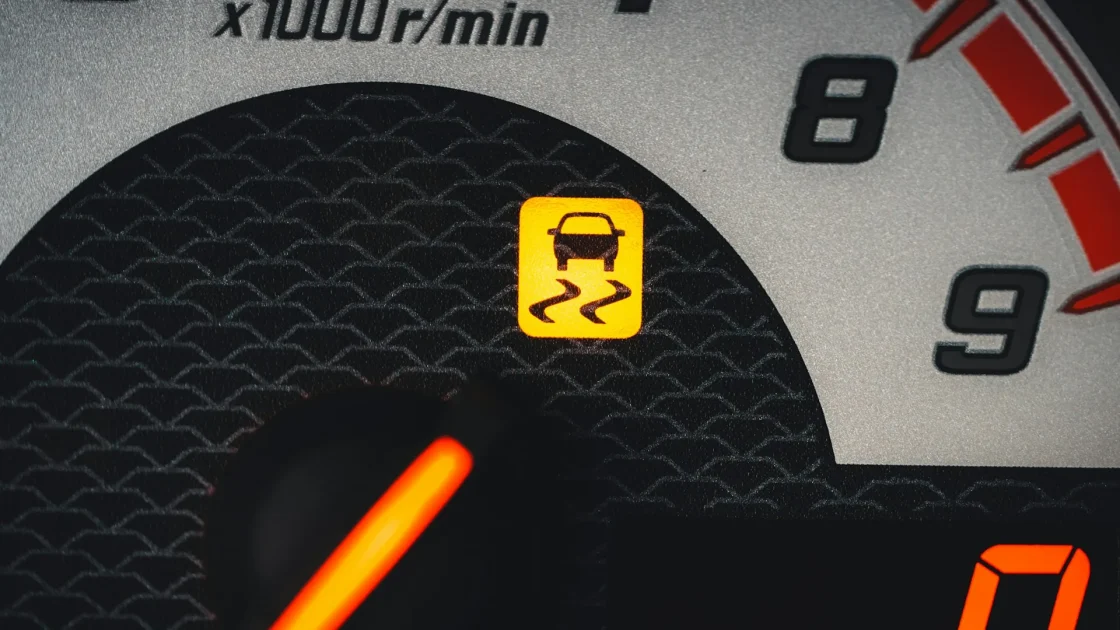
If you are ever unsure how much your car can actually do, our guide to whether ADAS is the same as self-driving draws the line clearly. The short version is that you are always the driver. The fix here is a mindset: use the features to reduce fatigue, never to replace your attention.
Watch out
The most dangerous moment with any assist system is the handoff, when the car suddenly gives control back. If your eyes were down, you have lost the seconds you need. Stay engaged so a handoff is boring, not frightening.
Mistake 2: Ignoring a dirty or blocked sensor
People see a smudge on the camera or a bug-splattered grille and figure it is cosmetic. It is not. That camera near your mirror and the radar behind your bumper need a clear view, and even a light coating can knock a feature offline. Our piece on what blocks your ADAS camera lists the usual culprits, and most of them are things you can wipe away in seconds.
The fix is a quick habit. When you clean your windshield, give the camera zone and the front sensors a wipe too. If you want to do it without scratching anything, our guide to cleaning ADAS sensors the right way covers the do’s and don’ts.
How to tell a blockage from a real fault
A blockage usually clears the moment you clean the sensor and drive a short distance. A real fault sticks around. If a warning stays lit after cleaning, it may be time to look deeper, and reading the specific icon on your dash helps you tell which is which. A blocked-sensor message that keeps returning on clean glass often points to fogging inside the housing or a sensor that has drifted out of alignment.
The tell is timing. Blockage warnings tend to appear right after you drive through slush, mud, or a car wash and vanish once things dry out. A warning that greets you every single morning, rain or shine, is trying to tell you something a rag will not fix.
Mistake 3: Skipping calibration after repairs
This one breaks my heart because it is so preventable. Replace a windshield, repair a bumper, or even change your ride height, and the sensors may no longer point exactly where they should. The features still turn on, so people assume everything is fine. Meanwhile the radar might be aimed slightly off, degrading accuracy in ways you cannot see.
A windshield swap is the classic example, and our article on why a windshield swap needs recalibration explains exactly what moves and why it matters. The fix: any time a sensor or its mounting point is disturbed, get the system calibrated. It is not upselling. It is the difference between a feature that works and one that only looks like it does.
Note
Automatic braking that is aimed a few degrees off can misjudge distances. The National Highway Traffic Safety Administration explains how these systems are meant to perform at NHTSA, and correct calibration is what keeps them within spec.
Mistake 4: Turning everything off out of frustration
When a feature nags or intervenes at the wrong moment, the tempting move is to switch it all off and be done. I understand the impulse. But blanket-disabling throws away real protection. Automatic emergency braking alone has prevented a huge number of low-speed crashes.
A better approach is to learn which features you can tune and which single one is actually bothering you. Lane keep assist, for instance, is often the one people dislike, and our guide to whether you should turn off lane keep assist walks through the trade-offs so you can make a targeted choice instead of nuking everything.
Most cars let you adjust sensitivity too, not just on and off. If lane keeping feels grabby, a lower setting often keeps the safety net without the constant tug. If the forward collision warning fires too early for your taste, many systems offer near, medium, and far thresholds. Spend ten minutes in the settings menu before you decide the whole thing has to go.
Mistake 5: Believing the myths
A surprising amount of driver-assist frustration comes from bad information. That radar will fry in the rain. That the systems make you a worse driver. That disconnecting the battery fixes everything. Most of it is not true, and believing it leads to poor decisions.
We rounded up the big ones in 5 myths about driver-assist systems. Clearing them up is worth ten minutes, because a driver who understands the tech uses it better and worries about it less.
- Keep your eyes up and hands ready, always.
- Wipe the camera and radar when you clean the car.
- Calibrate after any windshield, bumper, or suspension work.
- Disable one specific feature at a time, not the whole suite.
- Check a trusted source before believing a scary claim about your car.
Building the habits that make it easy
None of these fixes are hard. The people who get the most out of their driver-assist features are not experts. They are just drivers who understand that the systems are helpers with clear limits, who keep the sensors clean, and who fix things properly after a repair. Do those few things and your car does exactly what it was designed to do: quietly make your driving a little safer, without ever pretending to take your place behind the wheel.
Frequently asked questions
It is not dangerous to turn them off, but you lose real protection, especially from automatic emergency braking. A better move is to disable only the specific feature that bothers you and leave the rest active. Many systems remember your preference between drives.
Whenever you clean your windshield is a good rule, and more often in bad weather or on salty winter roads. A quick wipe of the camera glass and front radar area takes seconds and prevents most blockage warnings. Use a soft cloth and avoid abrasive scrapers on the lens.
In most modern cars, yes. The forward camera mounts to the windshield, and even a slight change in position can throw off its aim. Calibration re-aligns it so features like lane centering and automatic braking read the road correctly. Skipping it leaves accuracy quietly compromised.
Not if you use them as intended. They reduce fatigue and catch occasional mistakes while you stay engaged. Problems only appear when drivers rely on them to do the whole job. Staying attentive keeps your skills sharp and lets the features act as a genuine backup.
Keep reading
Related guides

What Year Did Cars Get ADAS?
A straight timeline of when driver-assist features actually reached ordinary cars, decade by decade.
Read guide
Do You Still Need to Pay Attention?
Driver-assist systems help, but they were never built to drive for you, and the fine print explains exactly why your eyes still belong on the road.
Read guide
ADAS and Winter Driving: What to Know
Cold weather changes how your driver-assist systems behave, and knowing the quirks keeps you calmer when a warning pops up on an icy morning.
Read guide