Driver Assist Not Available Message Fix
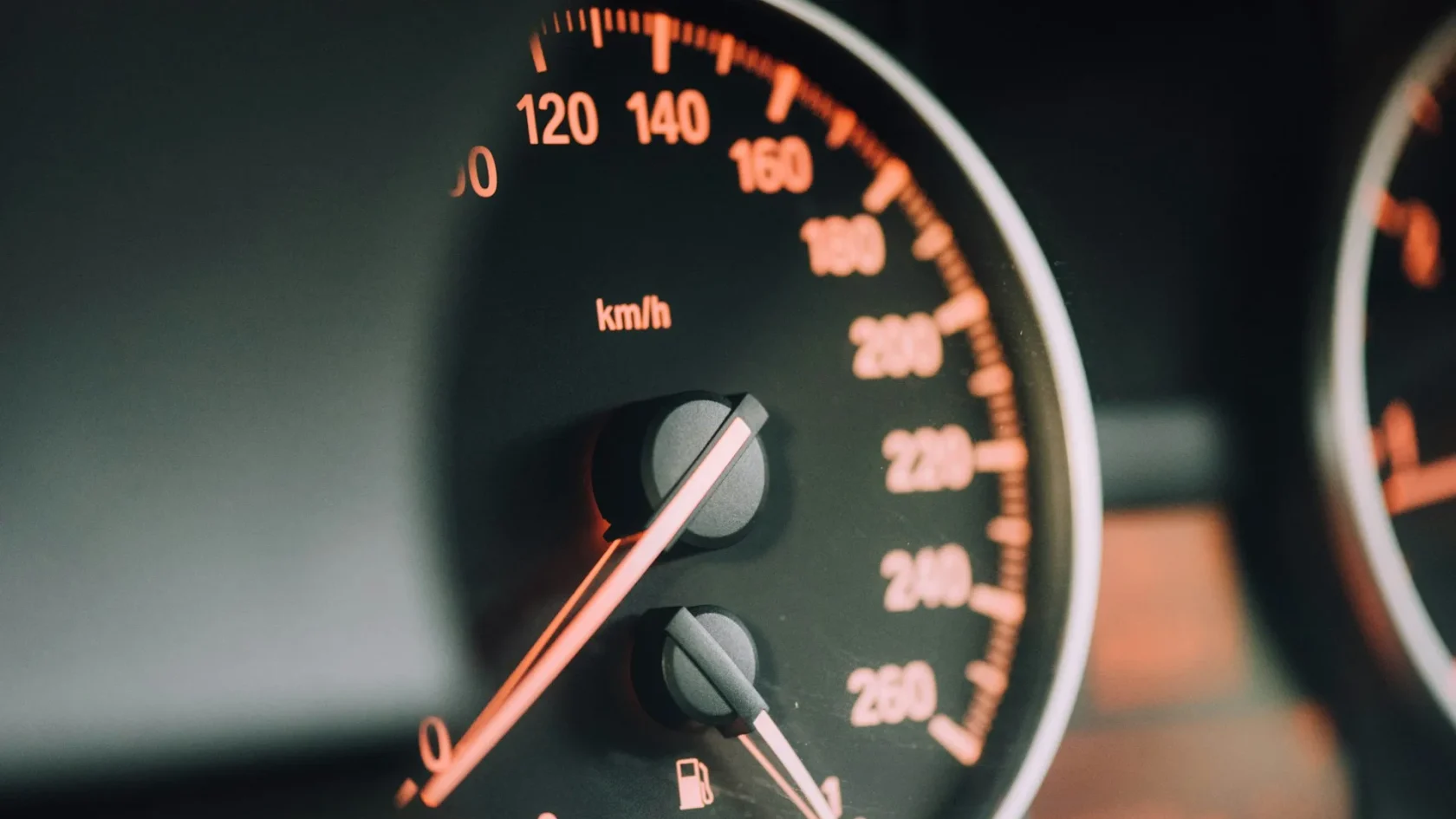
Driver assist not available usually means a blocked camera, a fault, or a system waiting to relearn after a battery event.

Key takeaways
- Driver assist not available is a blanket message that one or more ADAS features cannot run right now.
- A blocked or dirty front camera and a low-visibility windshield are the most frequent triggers.
- After a battery disconnect or a jump start, some systems need a short drive to relearn before they return.
- If it persists on a clear day, a stored fault or a calibration issue is likely and needs a scan.
You start the car, and before you have even pulled out of the driveway, the dash greets you with driver assist not available. It sounds ominous, like a big expensive system just quit. Usually, it is nothing of the sort.
This message is a catch-all. Rather than naming one broken feature, the car is saying that some slice of its driver-assistance package, maybe lane keep, maybe automatic braking, maybe adaptive cruise, cannot run at the moment. The reason is often mundane and free to fix. Let me answer the questions people bring me about this one.
What does driver assist not available mean?

It means the car has temporarily switched off one or more of its assistance systems because a condition for running them is not being met. These features lean on cameras and radar to see the road, and if the car cannot trust what those sensors are reporting, it pulls the features rather than run them blind.
Think of it as the car erring on the side of caution. It would rather tell you a feature is off than let a half-blind system make a steering or braking decision. For the big-picture view of how these features fit together, our pillar on what your ADAS warning lights actually mean maps every related symbol and system.
Is it the same as front assist not available?
They are close cousins. Front assist not available is the Volkswagen-family wording for the forward camera and radar features specifically, while driver assist not available tends to be a broader label. We break down the VW-specific version in the article on why front assist not available appears, and much of that advice carries over.
Why is my driver assist not available?
Here are the reasons I ran into most, and the encouraging part is how many of them cost nothing to solve.
- A dirty or blocked front camera behind the rearview mirror.
- A grille or badge covered in mud, snow, or ice over the radar.
- Heavy rain, fog, or snow the sensors cannot see through.
- Low sun glaring straight into the forward camera.
- A recent battery disconnect or jump start that reset the system.
- A stored fault or a camera knocked out of calibration.
That camera behind the mirror is the top offender. A smear of road film, a sticker placed too high on the windshield, or even a dashcam mounted in its line of sight can trip this message. Our piece on what blocks your ADAS camera lists every sneaky obstruction I have found over the years.
Tip
Clean the inside and outside of the windshield right in the area ahead of the mirror, not just the wiper zone. Camera-blocking haze builds up on the glass directly in front of the lens, and drivers almost never wipe that exact spot.
How do I fix driver assist not available?
Run these in order. Most people are back in business by step three.
-
Clean the sensors
Wipe the windshield ahead of the mirror and clear the front grille and badge of mud, snow, and ice. This clears the largest share of cases.
-
Restart the car
Turn it fully off, wait, and restart. A clean key cycle drops temporary faults that only tripped once.
-
Check the weather
In heavy rain, fog, or snow the message may simply be honest. Give it another try once visibility improves.
-
Drive a few miles on clear roads
After a battery event, many systems need a short drive to recalibrate their sensors and relearn before the features come back.
-
Scan for stored codes
If it holds on a clean, dry day, a scan reveals the actual fault so you are not guessing.
Two situations deserve extra attention. First, if this appeared right after you disconnected or replaced the battery, the drive-cycle relearn is your friend, and our explainer on what a drive cycle is and how to do it walks through it step by step. Second, if you want the master reset procedure that applies across most of these messages, how to clear an ADAS warning light is the one to keep handy.
Watch out
While this message is showing, assume the assistance features are genuinely off. No automatic braking, no lane keep, no adaptive cruise safety net. Drive as though the car has none of it, because right now it does not.
Will it clear on its own?
Often, yes. When rain, fog, or snow is the cause, the message clears the instant conditions improve and the sensors can see again. I have watched driver assist pop back to life the moment a downpour eased on the highway. Water on the glass and in the air genuinely blinds these systems, which the National Highway Traffic Safety Administration flags as a known limitation of camera and radar features.
Weather is not the only reason rain matters. Our deeper look at why rain disables driver-assist sensors explains what is actually happening at the sensor when the water hits. When the message does not self-clear, though, you are usually dealing with a real stored fault or a miscalibrated camera, and that will not fix itself with a restart.
Does a car wash cause it?
Sometimes. A high-pressure wash can knock road film loose, but it can also leave water sitting in front of the camera or over the radar, briefly triggering the message until things dry out. It usually clears within a short drive once airflow and heat push the moisture off the sensor faces.
A brushless wash rarely bothers these systems, but the older brush-and-cloth tunnels sometimes nudge a poorly seated emblem or leave wax residue over the radar cover. If your driver assist message shows up like clockwork every time you leave the same wash, that residue is the likely reason, and a quick wipe of the badge on the way out tends to stop it.
Before you book a service visit
The pattern I want you to remember: most driver assist not available messages are a clean-and-restart fix, or a short drive after a battery event. Free steps first, always.
Save the shop for the cases that earn it, when the message stays put on a clear, dry day, when a scan turns up a genuine fault, or when it started right after a windshield replacement or front-end repair that would have knocked the camera’s aim off. Those need a technician and a recalibration. Everything else, you can very often handle in your own driveway with a cloth and a key twist.
Frequently asked questions
It is a catch-all message telling you one or more driver-assistance features, such as lane keep, automatic braking, or adaptive cruise, cannot run right now. The car has switched them off because it cannot trust what its cameras or radar are reporting, usually due to a blockage, weather, or a fault.
The most frequent causes are a dirty front camera behind the mirror, a grille or badge covered in mud or snow over the radar, or bad weather. A recent battery disconnect can also cause it until the system relearns. Cleaning the sensors and restarting the car resolves most cases.
Clean the windshield ahead of the mirror and the front grille, then fully restart the car. If it followed a battery disconnect, drive a few miles on clear roads so the system can relearn. If it persists on a dry, clear day, get a diagnostic scan to find the stored fault.
It is usually minor and often free to fix, but while it shows, the assistance features really are off, so do not rely on automatic braking or lane keep. It becomes serious only if it persists after cleaning and restarting, or if it appeared right after a windshield or front-end repair, which points to a calibration issue.
Keep reading
Related guides
Steering Assist Reduced: What It Means
When the car says steering assist is reduced, it is usually protecting a system, not warning of a steering failure.
Read guide
Adaptive Cruise Control Warning Light
Why adaptive cruise refuses to set, and the front sensor that is almost always to blame.
Read guide
Pre-Collision System Unavailable Meaning
The Pre-Collision System Unavailable message sounds serious, but the cause is usually simple. Here is how to read it.
Read guide