Pre-Collision System Unavailable Meaning
The Pre-Collision System Unavailable message sounds serious, but the cause is usually simple. Here is how to read it.

Key takeaways
- Pre-Collision System Unavailable means Toyota's forward crash-avoidance suite has paused, not failed.
- A blocked front camera or radar behind the emblem is the leading cause.
- Fog, heavy rain, and a low battery routinely trigger a temporary version of the message.
- A clean sensor plus a drive cycle clears most cases; a lingering message needs a scan.
Toyota and Lexus drivers know the feeling. You are cruising along, everything normal, and the dash lights up with Pre-Collision System Unavailable. The wording alone gets the heart going. Unavailable when? What if I need it in the next mile? It reads like the car just disarmed its most important safety net.
Take a breath. In the vast majority of cases I dealt with, this message meant the system could not see well enough to promise it would work, so it stepped aside honestly rather than pretending. That is the responsible behavior, even if the phrasing is alarming.
Here is a plain walk-through of what the Pre-Collision System is, why it goes unavailable, and how to bring it back.
What is the Pre-Collision System, and what does unavailable mean?
The Pre-Collision System, or PCS, is Toyota’s forward crash-avoidance package. It bundles forward collision warning with automatic emergency braking, and on many models pedestrian detection too. It is a core part of Toyota Safety Sense, and it belongs to the same group of features described in our overview of what ADAS warning lights mean.
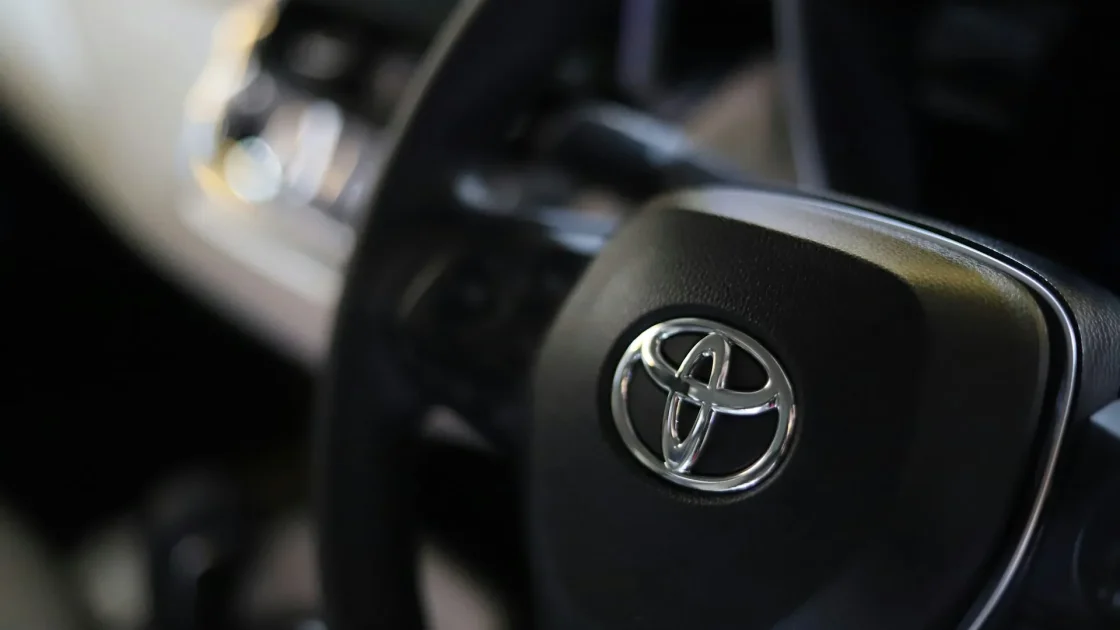
PCS watches the road with a forward camera near the rearview mirror and a millimeter-wave radar hidden behind the front emblem or lower grille. When the message says unavailable, one of those sensors is blocked, confused, or not getting clean data, so the car benches the whole feature. It is functionally the same admission you would see on other brands as a forward collision warning light, just with Toyota’s own wording.
The usual suspects behind the message
Across the cars I worked on, the causes stacked up in a familiar order.
A blocked forward sensor
This is the runaway leader. The camera behind the mirror hates a dirty or fogged windshield, direct low sun in its lens, and anything stuck to the glass in its view. The radar behind the emblem hates ice, mud, and heavy snow packed into the grille. If your Toyota emblem is caked in winter slush, you have likely found your answer. Our piece on the front emblem and its hidden radar shows exactly where to look.
Tip
Clean the inside and outside of the windshield in front of the camera, not just the outside. Interior film from off-gassing plastics builds up right where the camera looks and is easy to miss.
Weather the sensors cannot see through
Dense fog, a hard downpour, and blowing snow all scatter the camera and radar signals. Toyota programs PCS to shut off in these conditions on purpose. Once you are back in clear air it typically restores itself within a mile or two, and there is nothing to fix. A December morning with wet snow blowing across the highway is the textbook example. The system goes quiet, you finish the commute, and it quietly comes back once the sky clears and the emblem stops collecting slush.
A tired or recently disconnected battery
PCS modules want steady voltage. A weak battery, a jump start, or a battery swap can drop the message on startup and hold it until the car re-verifies itself over a drive. If the warning shows every cold morning, suspect the battery first.
Calibration knocked out of alignment
A windshield replacement, front-end body work, an alignment, or a solid pothole can move the sensor’s aim. PCS detects the mismatch and refuses to run until it is recalibrated. This is common enough that our windshield swap recalibration guide exists specifically for it.
How to clear Pre-Collision System Unavailable
Run these steps in order before you assume anything is wrong.
-
Clean the camera and radar
Wipe the windshield inside and out where the camera sits, and clear the front emblem and lower grille of any ice, mud, or film. Remove snow completely.
-
Rule out the weather
If it is foggy or pouring, note whether the message clears once conditions improve. If it does, the system worked exactly as intended.
-
Complete a drive cycle
Drive 10 to 15 minutes on a clear road at a steady speed with vehicles ahead to lock onto. Our drive cycle guide spells out what counts.
-
Check the battery
If the message keeps returning at startup, have the battery load-tested. It is a frequent, sneaky root cause on higher-mileage cars.
Watch out
While PCS is unavailable, your automatic emergency braking is off. The car will not brake for you if you get distracted. Increase your following distance and keep your eyes up until the message is gone.
When cleaning and driving are not enough
If you have cleaned the sensors, driven a full cycle in good weather, and confirmed a healthy battery, and PCS still refuses to arm, the car has stored a diagnostic code. A technician reads it with a scan tool and learns precisely which sensor is complaining and why.
After glass or body work the fix is usually a recalibration. After a genuine sensor hit it may be a repair or replacement plus re-aiming. Either way the code turns a mystery into a specific task. If your own steps stall out, our guide on what to do when a reset will not work covers the next steps.
For the official description of what Toyota Safety Sense includes on your model, Toyota’s owner support site lists the features by trim so you can confirm what you actually have.
Keeping PCS happy day to day
The message that reads like a crisis is, most mornings, a request to wipe a sensor. Your brakes and steering are untouched. What paused is one automated backup, and it paused for a boring reason more often than not.
A Lexus RX I looked at last winter came in with the owner convinced the whole safety system had died. The radar behind the emblem was packed with frozen slush from a week of salted roads. Ten minutes with warm water and a soft cloth, one short drive, and the message never came back. That story repeats itself hundreds of times every cold season.
Keep the windshield clean where the camera looks, knock the winter slush off the emblem, keep the battery healthy, and get a scan if the warning digs in. Do that and Pre-Collision System Unavailable goes back to being a rare, quickly-cleared note instead of a recurring worry.
Frequently asked questions
It means Toyota's forward crash-avoidance system, including automatic emergency braking, has temporarily turned itself off because its camera or radar cannot see clearly. It is usually caused by a blocked sensor, bad weather, or a low battery rather than a real failure.
Yes, the car drives normally, but the automatic braking is off. Leave extra following distance and stay alert since the system will not intervene for you until the message clears.
Clean the windshield camera and the radar behind the front emblem, then drive 10 to 15 minutes on a clear road with traffic ahead. Most cases clear on their own. If it keeps returning, test the battery and have the system scanned for a stored code.
The forward camera lives on the windshield, so replacing the glass moves its aim out of specification. The Pre-Collision System detects the mismatch and stays off until it is recalibrated by a shop with the proper targets.
Keep reading
Related guides
Automatic Emergency Braking Warning Symbol
That amber car-with-brackets symbol means your last line of crash defense may not be fully armed.
Read guide
Collision Warning Reduced Message Meaning
Your car is telling you its forward crash protection is working at less than full strength right now.
Read guide
Cruise Control Unavailable Warning Guide
A cruise control unavailable message usually points to a blocked sensor, a system fault, or a simple condition the car does not like.
Read guide