Speed Limit Assist: What It Does
The system that reads speed limit signs and nudges you back, explained by a former ADAS tech.

Key takeaways
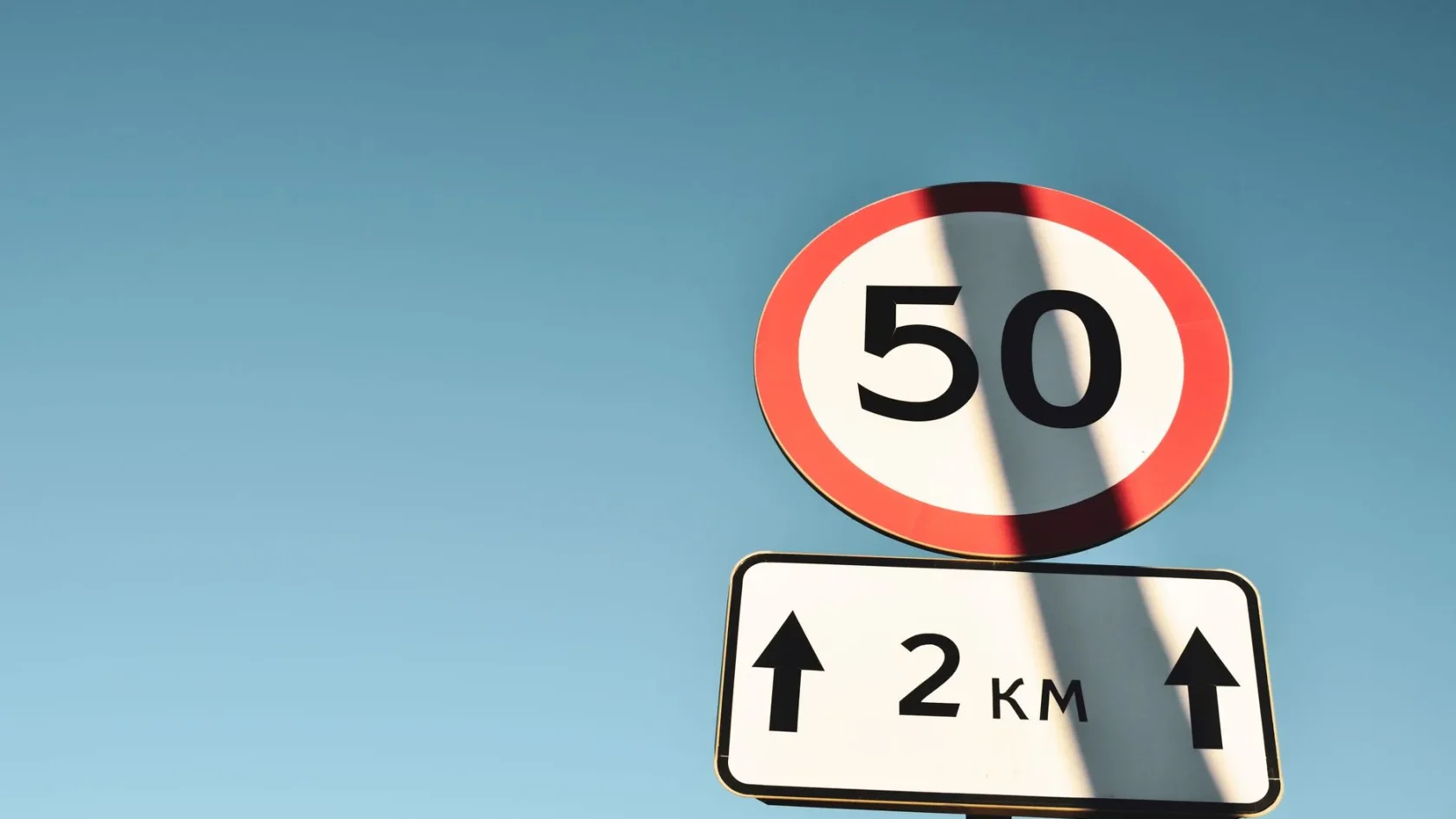
- Speed limit assist reads the current limit and reacts, from a simple display to an active throttle nudge.
- It knows the limit by combining the forward camera reading signs with the navigation map database.
- It can misread side-road or construction signs, so the posted sign and your judgment always come first.
- The active version only eases the throttle and can be overridden; most cars let you turn it down or off.
You are cruising along and a little speed limit sign lights up on your dashboard, matching the one you just passed on the roadside. A moment later the car gently reminds you that you are creeping over it. That is speed limit assist, also called intelligent speed assist, and it is quietly becoming standard on new cars whether drivers asked for it or not.
I calibrated the forward cameras that read those signs for years, and speed limit assist is one of the features people misunderstand most. Some think it is a nanny that slams the brakes. Others think it will drive at the limit for them. It is neither. Mostly it is a well-informed passenger pointing at the sign you might have missed.
Let me explain exactly what speed limit assist does, how it knows the limit, the different levels of how pushy it can be, and how to live with it, or switch parts of it off, without a fight. The names vary by brand, but the technology is the same.
What speed limit assist does
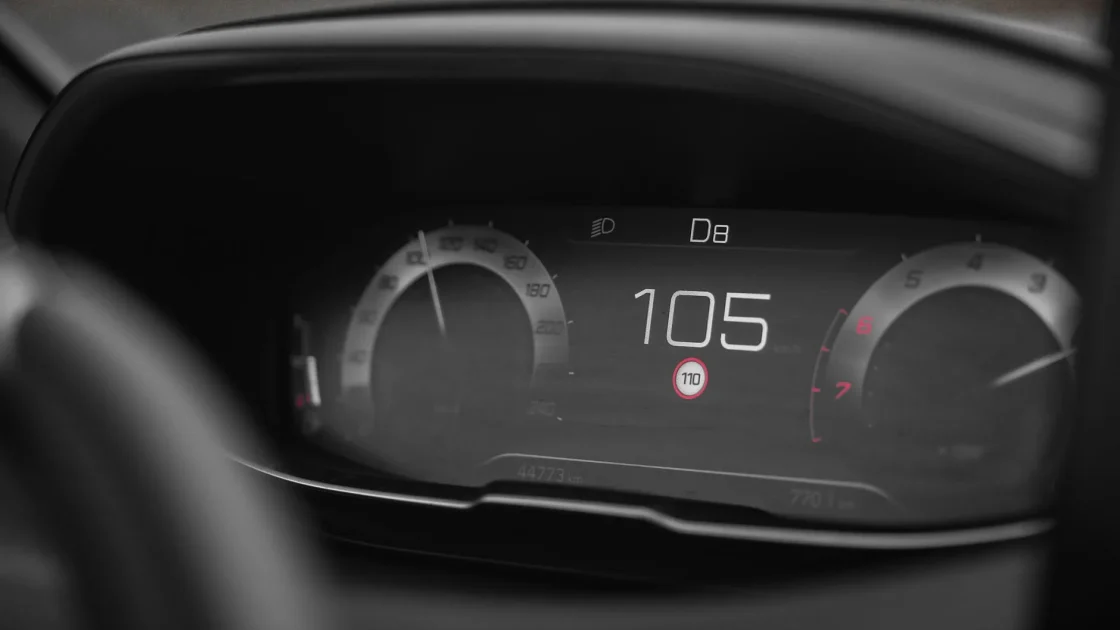
At its simplest, speed limit assist figures out the current speed limit and shows it to you on the dashboard, then reacts when you exceed it. What that reaction is depends on the system and your settings, and it ranges from a polite display to an active push on the pedal.
The most basic version, often called traffic sign recognition, just displays the limit. It reads the signs and puts the number in your cluster or head-up display so you always know the posted limit, even if you missed the sign. The more active versions add a warning when you go over, and the most advanced ones can gently limit the engine so the car eases back toward the limit on its own. It is one thread in the larger safety tapestry described in the pillar on how modern driver-assist systems work.
Three levels of pushy
Display only: shows the limit and nothing more. Warning: chimes or flashes when you exceed it. Active: gently eases the throttle to guide you back toward the limit. Most cars let you choose how far it goes.
How the car knows the speed limit
This is the part that fascinates people, and it comes down to two sources that the car cross-checks against each other.
The first is the forward camera, the same one mounted near your rearview mirror that reads lane lines. Its software recognizes speed limit signs as you pass them and reads the number. If you are curious where that camera lives and why its view matters, the guide on where the forward ADAS camera is shows exactly where to look. This camera is one of several sensors described in the overview of the cameras and radar behind ADAS.
The second source is map data. The car’s navigation database stores posted limits for most roads, so even when there is no sign in view, the system has a number to fall back on. The smartest systems blend the two, trusting a freshly read sign over the map when the two disagree, which is how they handle temporary construction-zone limits that the map does not know about.
Why it sometimes gets the limit wrong
Speed limit assist is good, but it is not perfect, and knowing its blind spots keeps you from trusting it blindly. I have seen every way it trips up.
- It can read a limit on a side road or an off-ramp and apply it to your road by mistake.
- A dirty, faded, or partly hidden sign can be misread or missed entirely.
- Outdated map data can show an old limit after a road has been re-posted.
- A truck-only or conditional limit sign can be picked up as if it applies to you.
None of these make the feature useless, but they are why you should treat the number on the dash as a helpful hint, not gospel. The posted sign on the road, and your own judgment, always come first.
Watch out
Do not assume the speed on your dashboard is always correct. The camera can misread signs and the map can be out of date. You are still responsible for driving the actual posted limit, not the one your car guessed.
Living with an active speed limiter
The version that gives drivers the most trouble is the active one that nudges the throttle. It is now required on many new cars in some markets, so more people are meeting it for the first time and finding it startling. Here is how to make peace with it.
First, understand it does not brake. On nearly every system, the active mode simply reduces engine power so the car drifts back toward the limit; it will not slam you to a stop, and you can always override it by pressing firmly on the accelerator. It is a suggestion with a soft hand, not a hard block.
Second, know how to turn it down. Most cars let you drop from the active mode to a warning-only chime, or switch it off entirely, usually through the settings menu or a steering-wheel shortcut, though many reset it to on at each start by regulation. It is one of several features drivers commonly want to adjust, and the habit of learning your car’s toggles is exactly what the guide to common driver-assist mistakes to avoid is about. If you are weighing whether to disable a system at all, the balanced take in the guide on whether to turn off lane keep assist applies the same thinking to a related feature.
Does it actually make roads safer?
The safety case is real. Speed is a factor in a large share of serious crashes, and systems that keep drivers aware of the limit have been shown to reduce speeding. The European Transport Safety Council and Euro NCAP have pushed hard for these systems on exactly that basis, and Euro NCAP publishes how it tests them: Euro NCAP speed assistance.
My own view, from having tuned the cameras behind these systems, is that the display-only and warning versions are genuinely useful with almost no downside. Knowing the limit at a glance is a quiet help, especially on unfamiliar roads. The active version divides people, but once you learn it only eases the throttle and can be overridden, most of the frustration fades. If any of the terminology here is new, the plain-English ADAS terms glossary is a handy companion.
Speed limit assist is one of those features that works best when you understand its role. It is not there to police you or to drive for you. It is there to make sure you always know the number, and to give you a gentle nudge when you drift over it. Learn how far your version goes, keep the camera clean so it reads signs well, and let it do what it does best: keep the posted limit in front of your eyes so you never have to guess.
Frequently asked questions
Only the most active version does, and even then it does not brake. It gently reduces engine power so the car eases back toward the posted limit, and you can override it at any time by pressing firmly on the accelerator. The more common display and warning versions simply show the limit or chime when you exceed it, without touching your speed.
It uses two sources and cross-checks them. The forward camera near the rearview mirror reads speed limit signs as you pass, and the navigation map database stores posted limits for most roads as a backup. The best systems trust a freshly read sign over the map when the two disagree, which helps them catch temporary construction-zone limits.
The camera can misread a sign on a side road or off-ramp and apply it to your road, or miss a dirty or partly hidden sign. The map data can also be out of date after a road is re-posted, and conditional signs like truck-only limits can be picked up by mistake. Treat the dashboard number as a hint and follow the actual posted sign.
Usually yes, at least partly. Most cars let you drop from the active throttle mode to a warning-only chime or switch it off through the settings menu or a steering-wheel shortcut. Be aware that in some markets regulations make the system default back to on every time you start the car, so you may need to adjust it each drive.
Keep reading
Related guides
Driver Attention Monitoring Explained
The steering sensors and face-tracking cameras that decide you need a break, decoded in plain English.
Read guide
Traffic Jam Assist: What It Does
The feature that handles the crawl of rush-hour traffic for you, and the fine print on why you cannot check out.
Read guide
Evasive Steering Assist, Explained
The last-resort feature that adds steering force to your swerve, explained by a former ADAS tech.
Read guide