Lane Keep Assist Won’t Turn On: Fixes
Work it in order: speed, switch, camera, marked road, then a reset before you pay for calibration.

Key takeaways
- Most lane keep systems only arm above roughly 37 to 40 mph and need clear lane paint.
- A bumped button or a menu reset after a dead battery is the most common false alarm.
- A blinded forward camera cannot find lane lines, so clean the glass on both sides first.
- If the switch, conditions, and a clean camera do not fix it, suspect a stored code or calibration.
Lane keep assist is one of those features you stop noticing until it is gone. You press the button, the little icon stays gray, and the wheel no longer gives that gentle tug when you drift. Something is off, and the car is not telling you much about what.
I calibrated and troubleshot these systems for years, and the good news is that a lane keep assist that will not turn on almost never means a broken part. Far more often it is a condition the car does not like, a setting that got switched, or a camera that cannot see. Let me troubleshoot this with you the way I would work through it on a lift, from the fast and free checks to the ones that need a shop.
Quick terms first. Lane keep assist uses the forward camera behind your windshield to find the lane lines, then nudges the steering to keep you between them. If the camera cannot read the lines, or the car decides conditions are wrong, the feature refuses to arm. That refusal is what we are chasing.
Start with why it will not even arm
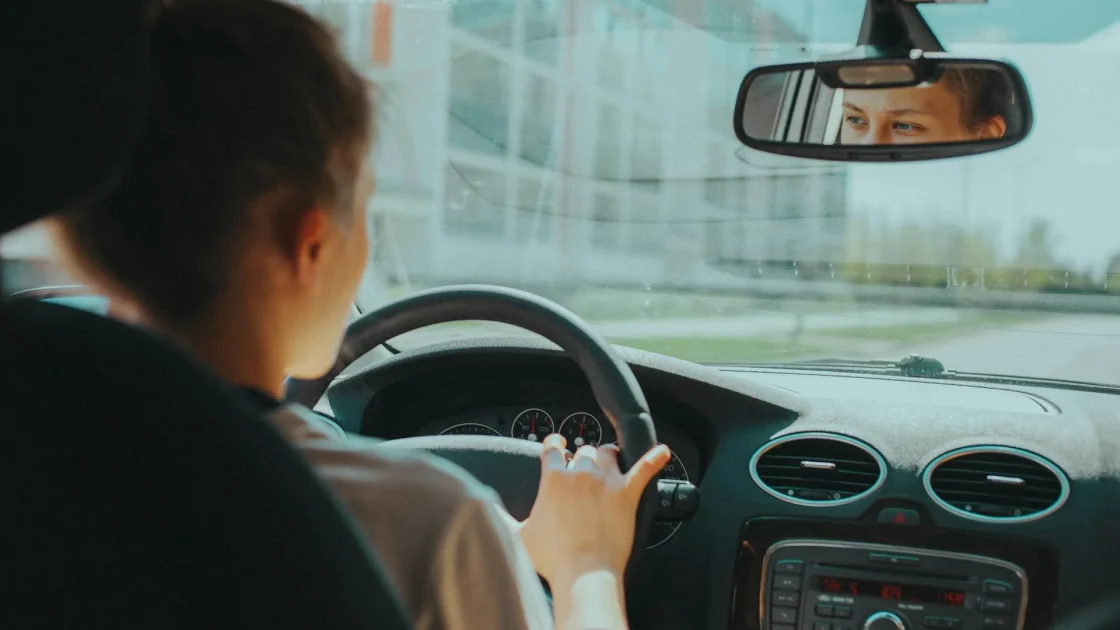
Most lane keep systems have conditions they insist on before they will turn on at all. Miss one and the button does nothing. These are the ones I check first because they cost nothing and explain most cases.
- Speed is too low. Many systems only arm above roughly 37 to 40 mph. Below that, the button lights but nothing engages.
- Lane lines are missing or faint. No clear paint means nothing for the camera to lock onto.
- Your hands are off the wheel. Most systems need light steering pressure to stay on and will drop or refuse if they think you let go.
- A turn signal is on. The car assumes you are changing lanes on purpose and stands down.
- The feature is switched off in a menu or by a button you bumped.
Run through that list before you assume anything is wrong. On a well-marked highway at 50 mph with both hands lightly on the wheel, the system should arm. If it does there but not on back roads, faded paint was your answer all along.
Check the switch and the menu
This sounds obvious, but it is the single most common false alarm I saw. Lane keep assist has a physical button on many cars, often a steering-wheel icon with lines, and it is easy to knock off. Other cars bury the toggle in a driver-assist settings menu that resets after certain events.
Some drivers also turn it off on purpose and forget, because the feature can feel intrusive. If you are not sure whether you want it on at all, the honest discussion in should you turn off lane keep assist lays out the trade-offs. For now, just confirm it is actually enabled before you go hunting for faults.
Tip
Before anything else, find the lane keep button or menu toggle and confirm the feature is switched on. A bumped button or a menu reset after a dead battery accounts for more “broken” lane systems than any actual fault.
Clean the camera, then drive a marked road
If the switch is on and the conditions are right, the next suspect is the forward camera. It looks through the windshield near the mirror, and a smear, film, ice, or interior haze in that spot blinds it. A blind camera cannot find lane lines, so lane keep will not arm.
Clean the glass directly in front of the camera housing on both sides, then drive a few miles on a clearly marked road at highway speed. Half the stubborn cases clear right there. If you want the deeper reasons a camera loses its view, the guide on what blocks your ADAS camera covers the culprits I saw most, from stickers to coatings.
Tell a flashing light from a dark one
What the icon is doing tells you a lot. A green lane symbol usually means the system is armed and steering. A flashing green symbol often means it is trying to engage but has not locked the lines yet, which is a temporary state, not a fault. A gray or dark symbol means it is simply off or unavailable.
If yours flashes green and never goes solid, the camera is struggling to hold the lane, usually because of paint quality or the conditions. The specific breakdown in lane keep assist light flashing green explains that state in detail. And if you are unsure whether your car even has active steering versus a warning-only system, lane keeping assist versus lane centering sorts out which one you have.
Watch out
Never treat lane keep assist as a hands-free system. It is designed to assist a driver who is steering, not to steer for you. On faded roads or tight curves it will hand control back with little warning, and it may not arm at all where you most expect help.
When it is a fault, not a condition
If you have confirmed the switch, met the conditions, cleaned the camera, and driven a marked road, and lane keep still will not turn on, now you are into a real fault. The two big causes are a stored code that needs clearing and a camera knocked out of calibration.
A stored code sometimes lingers after a battery issue or a one-time glitch, and clearing it can bring the feature back. The related walkthrough on how to reset a lane departure warning light covers the safe reset methods, since the warning and keep functions share the same camera. If nothing clears it and you recently had a windshield replaced or front-end work done, the camera almost certainly needs recalibration to aim correctly again.
To understand how the underlying warning side works, which helps you judge whether the camera is even seeing the road, the explainer on how lane departure warning works is a useful companion. For the safety background on why lane systems earn their keep, the IIHS tracks how much they cut certain crashes: IIHS lane departure prevention.
So work it in that order and you will save yourself money: conditions, switch, camera, marked road, then a reset, and only then think calibration. The vast majority of lane keep complaints I handled never made it past the camera and the switch. Get those two right and the wheel usually starts nudging again on your very next drive.
Frequently asked questions
The most common reasons are that you are below the minimum speed of roughly 37 to 40 mph, the lane lines are faint, or the feature got switched off by a button or menu. A dirty or blinded forward camera is next on the list. Confirm the switch, meet the speed and lane conditions, clean the camera glass, then drive a well-marked road before assuming a real fault.
Usually not. A flashing green symbol means the system is trying to engage but has not locked onto the lane lines yet, often because the paint is faint or conditions are marginal. It typically goes solid once it grabs clear lines on a well-marked road. If it never locks even on good highway paint, the camera may be blocked or out of calibration.
Yes, on most cars. Many systems only arm above roughly 37 to 40 mph, so at city speeds the button lights up but nothing engages. This is normal behavior, not a fault. Get on a marked road at highway speed and it should arm if everything else is in order.
Absolutely. The forward camera looks through the windshield at a precise angle, and a new windshield moves it enough to throw off its aim. Even the correct glass requires the camera to be recalibrated afterward. If lane keep stopped working right after a windshield swap, calibration is almost certainly what it needs.
Keep reading
Related guides
Reset a Lane Departure Warning Light
Give the forward camera a clean look at the road, drive a marked mile, then reset before you pay for anything.
Read guide
Fix ADAS Errors After a Dead Battery
Why a jump start lights up half your dash, and the driveway steps that bring the systems back.
Read guide
Fix a Front Radar Blocked Message
Find the radar behind your grille or badge, clear what is covering it, and drive a cycle before you pay anyone.
Read guide