Traffic Sign Recognition Warning Explained
The little speed-limit reader in your dash relies on one camera, and here is what makes it give up.

Key takeaways
- Traffic sign recognition reads signs with the same front camera your other assists use.
- A dirty windshield, faded or blocked signs, and glare are the top reasons it warns you.
- The feature is an aid, not a rulebook, so the posted sign always wins over the dash.
- Cleaning the camera glass and driving a clear stretch clears most warnings within minutes.
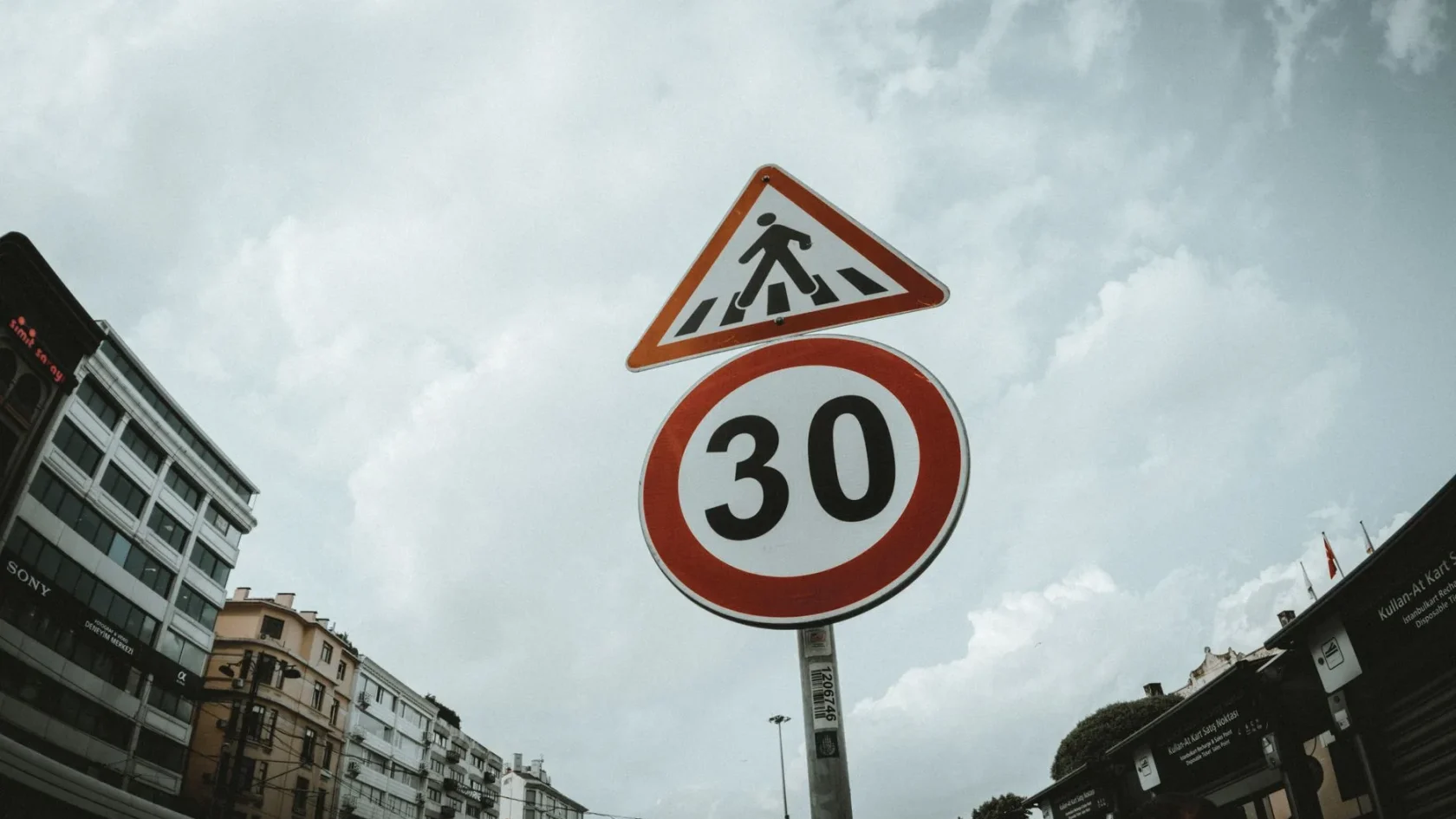
Traffic Sign Recognition is one of those features you barely notice until it stops working. On a good day, a little speed-limit icon quietly appears in your instrument cluster or head-up display, matching whatever sign you just passed. Then one afternoon it flashes a warning instead, something like “Traffic Sign Recognition Not Available” or “Sign Assist Unavailable,” and you wonder what you broke.
The honest answer is usually nothing. This system is a camera-based convenience feature, and cameras are fussy about what they can and cannot see. When the view gets compromised, the car would rather admit it stopped reading signs than feed you a wrong number.
I calibrated the forward cameras that power this feature for years, and the warning almost never meant a failed part. Let me explain how the system actually works, then walk through why it complains and how to quiet it down.
How traffic sign recognition sees the road
Nearly every version of this feature runs on a single camera mounted high on the windshield, right behind the rearview mirror. That camera does a lot of jobs at once. It reads lane markings, watches for cars ahead, and scans the roadside for signs. Software then picks out the round or rectangular shapes, reads the numbers, and matches them against sign patterns it knows.
Some systems cross-check the camera against map data from the navigation system, so the dash can show a limit even where a sign is missing. But the camera is the star of the show. When it cannot do its part, the whole feature backs off. That shared camera is why this warning often appears alongside lane and collision messages, all of which we untangle in our guide to what your ADAS warning lights actually mean.
Why the warning appears
Because it all hinges on one camera with one clear line of sight, anything that muddies that view can trip the warning. The usual causes are simple.
- A dirty, foggy, iced, or streaky windshield right in front of the camera.
- Low sun, oncoming headlights, or harsh glare washing out the image.
- Heavy rain, snow, or fog cutting how far the camera can see.
- Faded, dirty, bent, or partly hidden signs the software cannot read.
- A dash cam, parking permit, or toll tag stuck in the camera’s field of view.
- A recent windshield replacement that left the camera slightly out of calibration.
The first four clear up on their own. The last two do not. A camera that is blocked by an accessory or knocked out of aim needs a human to fix it. If your camera glass tends to fog or film up, our piece on what blocks your ADAS camera covers the sneaky offenders people miss.
Good to know
Traffic sign recognition is a driver aid, not a legal authority. If the dash shows one number and the roadside sign shows another, the real sign is always correct. The camera can misread a truck’s speed decal or an old sign, so never argue a ticket with your dashboard.
Where the camera lives and why that matters
People are often surprised how much rides on one small lens tucked behind the mirror. Because it looks out through the windshield, the strip of glass in front of it has to stay clean and undistorted. A wiper that leaves a streak exactly there, or a chip in that zone, can be enough to interrupt the feature.
If you have never actually spotted the camera, our walkthrough on where the forward ADAS camera lives shows you exactly where to look and what to keep clear. It is worth knowing, because keeping that one patch of glass clean prevents most of these warnings before they start.
How to clear the warning
Start with the simple stuff, because the simple stuff usually works.
-
Clean the glass by the camera
Wipe the inside and outside of the windshield right in front of the mirror. Inside fogging and haze matter as much as road grime outside. A clean microfiber cloth is all you need.
-
Clear the camera’s view
Move any dash cam, sticker, transponder, or permit that sits high on the glass near the camera. Even a small object in the wrong spot blinds it.
-
Wait out the weather
Glare, fog, heavy rain, and snow all suppress the feature on purpose. Once the sun angle changes or the weather eases, it comes back by itself.
-
Drive a clear stretch
Take a few miles of dry road with good, well-marked signs. The system re-checks itself in motion and usually clears the flag once it reads a few signs cleanly.
-
Suspect calibration if it sticks
If the warning stays with clean glass and clear weather, especially after a windshield swap, the camera likely needs recalibration. That is a shop job, not a driveway fix.
A warning that refuses to leave usually traces back to the camera itself. If you recently had the windshield done, that is almost always the reason, and our explainer on why a windshield swap needs recalibration spells out why the glass and the camera are a package deal. For stubborn cases across any assist, how to clear an ADAS warning light is the deeper reference.
How it relates to speed assist
On many cars, traffic sign recognition feeds a second feature that actively nudges your speed or beeps when you go over the limit. When the sign reader goes down, that speed-limiting helper often goes quiet too, because it no longer trusts the number. If your car has that setup, our guide to what speed limit assist does explains how the two connect and why they tend to fail together.
Regulators have leaned into this pairing hard. If you like the background, the Euro NCAP explanation of speed assist systems lays out how sign reading and speed warnings are tested and scored.
Living with a camera that occasionally squints
Here is the mindset that keeps this from being annoying. Traffic sign recognition is a nice extra set of eyes, not a source of truth. It will occasionally miss a sign, misread one, or step aside in bad light, and that is normal for a camera-based feature. None of that means your car is failing.
Keep the glass in front of the camera clean, do not stick things up there, and treat the posted signs as gospel. Do that and the warning becomes a rare visitor. When it does show up in clean, dry conditions and refuses to leave, you now know the finger points at the camera, and you know exactly what to ask a shop.
Frequently asked questions
The camera can misread a faded sign, pick up a temporary or truck-mounted number, or lag behind a change. Some cars also pull from map data that is out of date. The real roadside sign is always the correct one, so trust the sign over the dash.
On most cars, yes, through the driver-assist or display settings in the infotainment menu. Turning it off removes the sign icon and any speed alerts tied to it, but it will not affect lane keeping or collision features that share the same camera.
It can, if it is mounted high on the windshield inside the camera's field of view. Move the dash cam lower or off to the side, away from the strip of glass right in front of the mirror-mounted camera, and the warning usually clears.
Yes. It only affects the sign-reading convenience feature. Your brakes, steering, and the car itself are unaffected. Just watch the posted signs yourself, which you should be doing regardless of what the dashboard shows.
Keep reading
Related guides
Parking Sensor Warning Light Explained
A steady parking sensor warning light means the system has a fault, not just a nearby obstacle.
Read guide
The Yellow Car With Waves Symbol Decoded
The little car sending out ripples is one of the most misread dashboard symbols. Here is what it really represents.
Read guide
What Your ADAS Warning Lights Actually Mean
The dash symbols behind lane, radar, and camera systems, decoded by a former calibration tech.
Read guide